 JavaScript
The Common Errors that beginner React Developers Make
1. React Must Be in Scope
Let’s assume we are creating “helloWorld.jsx” like below, you can see there is a compilation error display as “’React’ must be in scope when using JSX react/react-in-jsx-scope.”
const element = <h1>Hello World!</h1>
export default element;

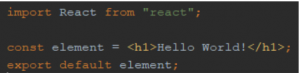
This happens due to “React” import necessary in JSX file.The React library must also always be in scope from JSX code. To overcome this error “import React from “react”;” must be added into the file as follows.
import React from 'react';

const element = <h1>Hello World!</h1>
export default element;
2. JSX value should be either an expression or a quoted JSX text
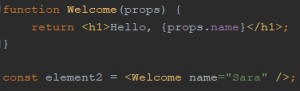
You must use quotes to specify string literals as attributes as follows.
const Welcome = ({name}) => {

  return <h1>Welcome {name}</h1>
}

const element = <Welcome name="John" />
And also you must use curly braces to embed a javascript expression in an attribute.
const Welcome = ({name}) => {
 return <h1>Welcome {name}</h1>
}
const user = {
  name: 'John',
}

const element = <Welcome name={user.name} />
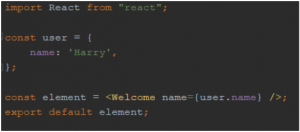
Otherwise, it will be given parsing error of “JSX value should be either an expression or a quoted JSX text” and compilation failed.

3. Always start component names with an uppercase letter
React treats components starting with lowercase letters as DOM tags that represents an HTML. To render a react component, the tag name must start with an uppercase letter. In this scenario, code will compile successfully but browser console will give warning as “The tag <tagName> is unrecognized in this browser. If you meant to render a React component, start its name with an uppercase letter.”
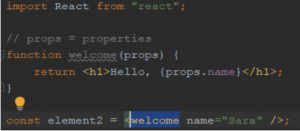

Here ‘welcome’ must start with a capital letter.











Pingback: Simple Tab View Using react-tabs - Sandny Blog()